
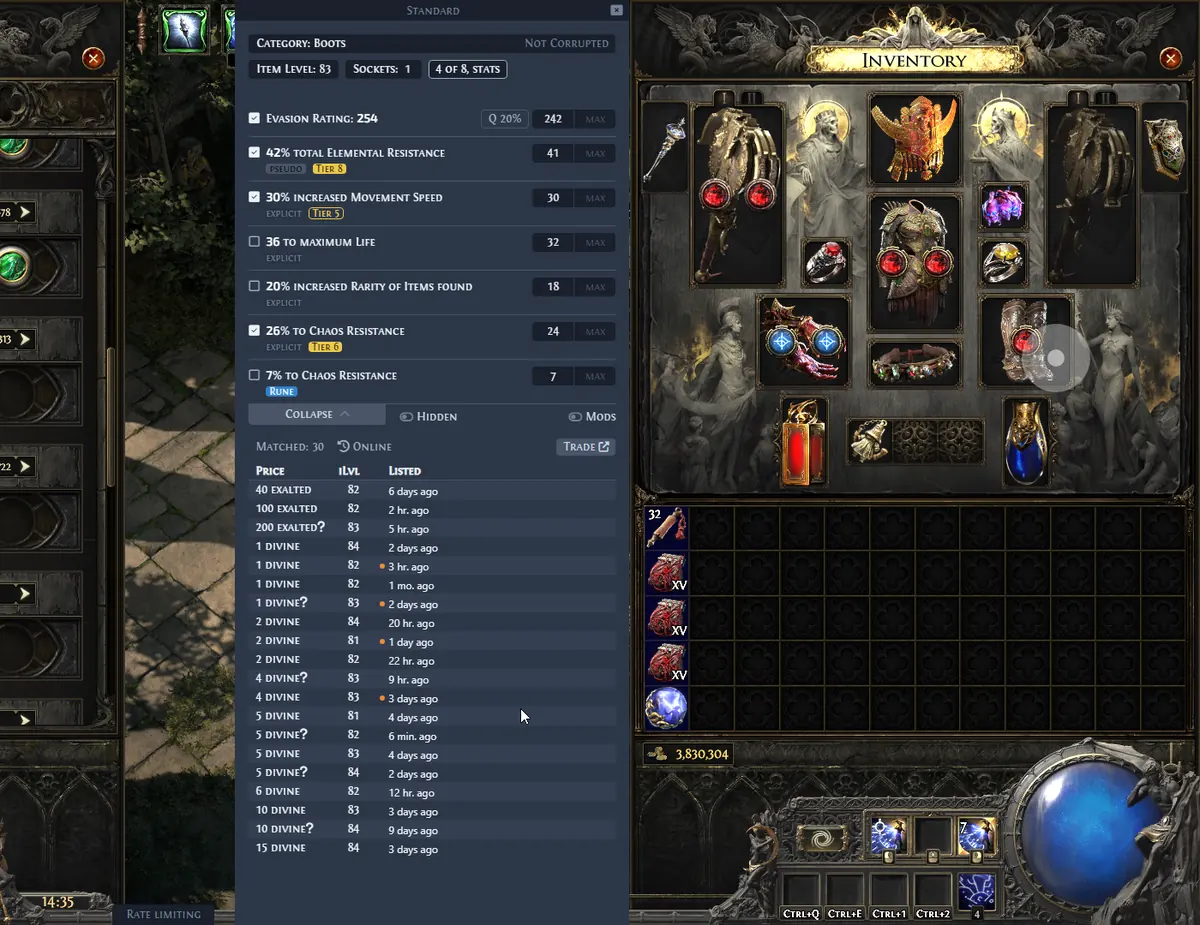
Does Exiled Exchange 2 work on Windows 11?
Windows 11 is the natural target for the current Windows desktop build. The important requirement is not a special Windows 11 edition; it is a working chain between Path of Exile 2, the clipboard, the global shortcut, the overlay process, and the trade service.
For the safest starting point, use the official GitHub Releases page or the download panel on this site. The project documentation describes the supported Windows desktop workflow, while this independent site links to the developer's published assets rather than rehosting them.
Check these conditions before changing security settings or running the app as administrator. Most Windows 11 users only need a normal installation and matching privilege levels for the game and overlay.
| Check | Recommended value | Why it matters |
|---|---|---|
| Operating system | Windows 11 with current updates | Keeps desktop, clipboard, and graphics behavior predictable |
| Game display mode | Windowed or Windowed Fullscreen | Lets the overlay detect the active game window |
| App source | Official Kvan7 GitHub Release | Avoids modified installers and misleading mirrors |
| Privilege level | Game and overlay started at the same level | Prevents Windows from blocking clipboard or hotkey access |
Install Exiled Exchange 2 on Windows 11
Choose the Windows Installer when you want a conventional Start menu entry and automatic replacement behavior. Choose the Windows Portable build when you want a self-contained folder; do not mix the two folders while diagnosing a problem.
After the installer finishes, launch Path of Exile 2 and wait until a character or hideout is visible. Then open Exiled Exchange 2 and keep both programs in the same normal-user session.
- 1
Download the current Windows asset
Use the official release link or the Windows Installer button below. Confirm that the file name and publisher context match the release information before opening it.
- 2
Complete the normal installation
Accept a user-writable installation location and let Windows create the application shortcut. You do not need to run the installer from an elevated PowerShell window.
- 3
Start the game first
Open Path of Exile 2, enter the game, and select Windowed or Windowed Fullscreen if the overlay cannot identify the game window.
- 4
Test one price check
Hover an item, press Ctrl + C if needed to copy its text, then press Ctrl + D. Review the returned filters and listings instead of treating the first number as a guaranteed value.
Configure PoE 2 window mode, clipboard, and hotkeys
A Windows 11 setup can look correct while the overlay still receives no item data. The most useful test is to isolate one link at a time: can Path of Exile 2 copy complete item text, can another app paste it, and does Exiled Exchange 2 react to Ctrl + D?
Keep Path of Exile 2 in Windowed or Windowed Fullscreen mode while testing. Exclusive fullscreen, a second desktop, remote-session capture, or a game launched with different privileges can make a global overlay appear to be broken.
Open the overlay settings and confirm that the price-check shortcut is not claimed by another overlay, keyboard utility, recording tool, or Windows accessibility feature. If the shortcut is blocked, change it temporarily and test again before editing configuration files.
Handle Windows 11 SmartScreen and permissions
Windows 11 may show a SmartScreen warning for an open-source desktop application that is not signed with a widely recognized commercial certificate. Treat the warning as a source-verification step: confirm that the file came from the official Kvan7 release, inspect the file name, and stop if the source is an unknown mirror.
Do not make administrator mode the default fix. First start the game and overlay normally. If one program was launched as administrator and the other was not, close both and relaunch them at the same privilege level. Only test administrator mode when a specific Windows permission mismatch is reproducible, and return to normal-user mode if it changes nothing.
Windows Security, third-party antivirus, overlays, and controlled-folder rules can also quarantine or suspend a new executable. Record the exact alert and the asset source before changing an exception; never disable protection just to bypass an unverified download.
- Verify the release URL before allowing a SmartScreen override.
- Match the game's and overlay's administrator status; do not elevate only one side.
- Check Windows Security history and antivirus quarantine for the exact executable name.
- Avoid portable and installed copies running at the same time while testing.
Fix Windows 11 launch, overlay, or price-check problems
If the app opens but Ctrl + D does nothing, follow the chain in order: focus the game window, copy a complete item, paste it into a text editor, test the shortcut, then check whether the overlay can reach its league and trade services. This separates a clipboard problem from a network or parsing problem.
If the window is blank or the price result is incomplete, update to the current release, remove duplicate background processes, and review the filter or league selection. Do not delete configuration folders before making a backup; a clean reset can hide the original cause.
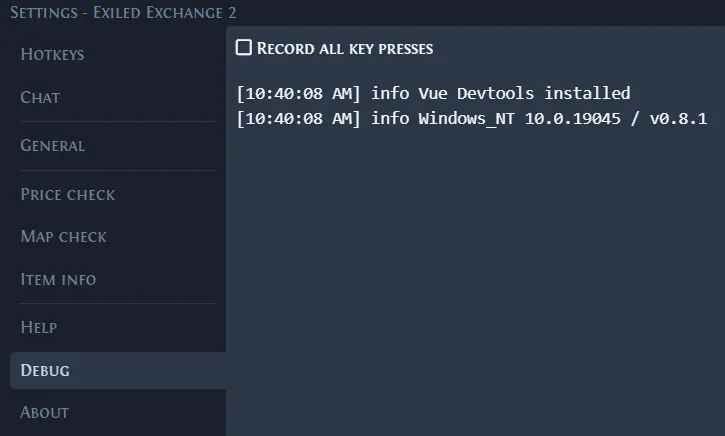
For a reproducible failure, collect the app version, Windows display mode, privilege level, exact error text, and relevant debug log. The Troubleshooting guide covers the broader diagnosis flow, while How to Use explains the expected clipboard and hotkey workflow.
- No window: confirm the process is not minimized to the tray and test one clean relaunch.
- No hotkey: test a different shortcut and close other overlays or recorder tools.
- No item text: paste the copied text into Notepad to verify the clipboard first.
- No leagues or listings: check the network path, update status, and exact service error.
- Migrated settings: back up the config and validate the Path of Exile 2 window title.
Update or uninstall without losing Windows settings
Use the update guide when the current build is older or a release notes change affects your workflow. Close both the game and the overlay before replacing a portable executable or allowing the installer to update files.
Before uninstalling, back up the configuration folder if you may return to the app. Removing the program does not answer why a price check failed, so capture the log and settings state first when you are troubleshooting.
The current download button below is generated from the checked-in release data refreshed from the official release API during the static build. That keeps the Windows CTA aligned with the verified upstream asset instead of a stale hard-coded link.
| Task | Safe sequence | Keep in mind |
|---|---|---|
| Update | Close app → verify source → replace or install → relaunch | Retest clipboard and hotkey after the update |
| Portable replacement | Back up config → replace executable → keep data folder | Do not run old and new folders together |
| Uninstall | Export logs/config → uninstall → remove leftovers only if needed | Keep evidence if the goal is diagnosis |
Official Windows build
Download Exiled Exchange 2 for Windows 11
Current verified Windows Installer from the official GitHub Release
Download Windows Installer