
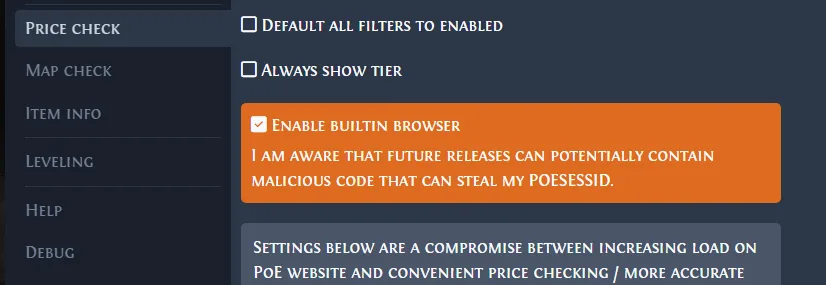
Choose the correct PoE 2 market before searching
PoE 2 has more than one trading workflow. The official PoE 2 trade site is the best starting point for equipment and listings that need item class, base type, modifiers, item level, sockets, rarity or seller filters. Currency Exchange is usually better for supported stackable resources because it shows ratios and available supply directly.
A trade overlay is a third workflow: it copies the item under your cursor and prepares a search. It is useful for fast research, but the listing data still comes from the official trade service. A stash price checker estimates many items at once, while a trade macro automates only a limited shortcut. Keeping these boundaries clear prevents one tool from being treated as a universal market price.
Before opening any result, decide whether you are researching one exact item, a family of bases, or a currency pair. That decision determines which filters belong in the query and which market screen should answer it. Starting in the wrong channel creates noisy comparisons and wastes time even when every individual filter is technically valid.
| Need | Best starting point | Why |
|---|---|---|
| Rare or unique equipment | Official trade site | Detailed item and modifier filters |
| Supported stackable currency | Currency Exchange | Visible ratio, supply and order flow |
| One item under the cursor | Exiled Exchange 2 | Fast editable search handoff |
| Whole stash estimate | Stash valuation workflow | Batch review before manual verification |
Search the official trade site without over-filtering
Start by selecting the correct PoE 2 league. Then choose the item category or enter a specific base, unique name or known modifier. Add broad constraints first: rarity, item level, required level, sockets or quality. Submit a simple search before stacking many exact stat ranges. If the first query returns a healthy set of comparable listings, narrow it one value-driving filter at a time.
For rare items, prioritize the modifiers that define demand for the relevant build. A search with every copied line enabled may return one perfect match and teach you almost nothing about the market. For uniques, verify the correct variant, corruption state, sockets and important rolls. For gems, confirm level, quality and special type. Saved searches are useful only after the query is clean enough to represent the item you actually want.
Use stat groups carefully. An AND group requires every selected condition, while broader alternatives can produce a much larger market sample. Add minimum values only when they reflect the buyer's real requirement. A clean query should be understandable when you return to it later: each active filter must have a reason tied to item identity, usability or demand.
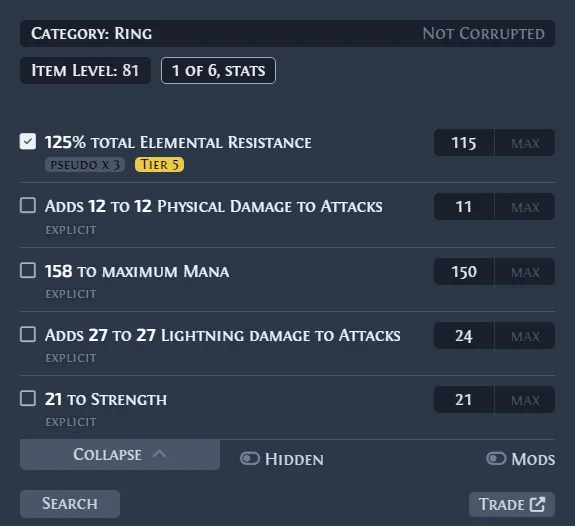
Compare listings before you contact a seller
Do not price an item from the cheapest row. The first listing may be old, unavailable, incorrectly filtered, deliberately underpriced or attached to a different variant. Look for a cluster of recent listings in a similar range, then check seller status, listing age, stack size and whether the offer uses the same league and item version.
When the result set is too small, remove a weak modifier or widen exact roll ranges. When it is too broad, add the build-defining stat, item level, base defense or socket requirement. Compare listed offers as evidence, not completed sales. If one price is dramatically lower than the rest, treat it as an outlier until several comparable listings support it.
Listing age matters differently across item types. A common low-value item can become stale quickly, while a rare high-end base may remain relevant longer because comparable supply is thin. Re-run the search when the market has moved, a patch changed demand, or the visible offers have not been updated recently enough to support a confident range.
Buy an item and verify the final in-game trade
Use the trade site's contact action to begin the transaction, then follow the current official flow shown for that listing. Availability and trade interfaces can change, so the live site and game client are the source of truth. Confirm the character, item name, price, quantity and league before leaving your activity or hideout.
Inside the trade window, inspect the actual item rather than trusting the whisper text. Check links, sockets, corruption, item level, rolls and stack count. Move the cursor over the item when the game requires verification, and reread both sides before accepting. Cancel when the seller swaps an item, changes the price without explanation or asks you to use an unknown external site.
For expensive purchases, slow down before the final confirmation. Compare the visible item with the listing that led you there, especially when similar names, alternate art, different corruption states or near-identical stack sizes are involved. A few seconds of deliberate checking is cheaper than trying to recover from a completed trade that contained the wrong variant.
Sell items through listings or current official market flows
Price an item from several comparable listings, not one outlier. Choose a public listing method supported by the current game and account setup, place the item in the correct sale location, set a clear price, and confirm that the listing appears with the intended currency and amount. Recheck after a patch or league economy shift because demand can move faster than a static guide.
For stackable resources, compare the Currency Exchange ratio and available depth before using an equipment-style listing. For high-value equipment, a slightly wider market comparison is safer than an exact-match search with one result. Grinding Gear Games describes current asynchronous trading behavior in its official trade FAQ; follow the live official interface for the final posting steps.
A listing also needs maintenance. Remove items that are no longer for sale, correct accidental prices, and respond through the current official flow rather than moving the conversation to an unknown marketplace. If an item receives many immediate contacts, pause and re-check comparable offers; unusually fast demand can signal that the price or chosen currency was entered incorrectly.
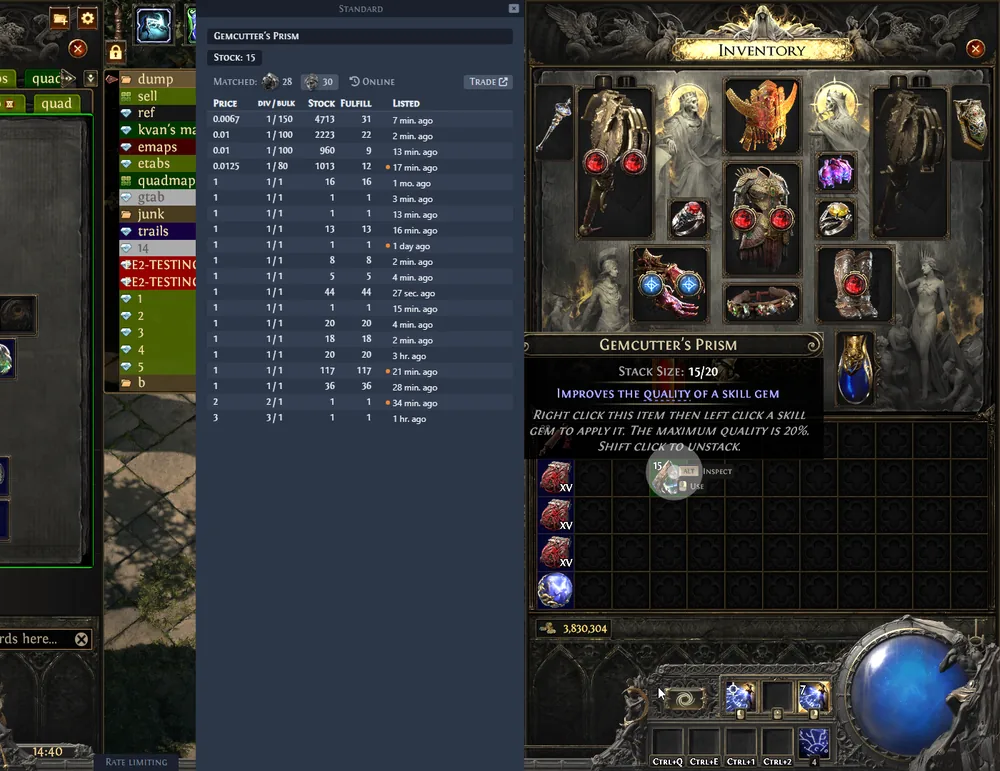
Use Exiled Exchange 2 as a companion, not a replacement
Exiled Exchange 2 is useful when an item is already under the cursor. Ctrl + D copies and parses the item, lets you review filters, and opens a trade comparison. The built-in browser reduces context switching, while the full official site remains better for deliberate market research, complex stat groups, saved searches and seller filters.
The latest verified official Exiled Exchange 2 release is v0.15.8, published June 20, 2026. The site links to real GitHub release assets for Windows, Linux and macOS. If the trade search fails, first verify the league, clipboard text and current service status, then use the troubleshooting guide. Do not install reposted executables or assume an overlay can bypass an official trade-service challenge.
Keep a manual-search fallback. If parsing selects the wrong base, misses a modifier or produces an empty query, open the official site and rebuild the search from the copied item text. This separates an overlay recognition problem from a market-data problem and gives you a reproducible query that can be checked without changing unrelated application settings.
Final checklist for a clean PoE 2 trade
Before contacting anyone, confirm the official domain, league, item identity, variant, active filters, listing age, price currency and quantity. Keep at least several comparable offers open when the item is valuable. If the market sample is thin, state that uncertainty in your own pricing decision instead of pretending one listing proves a stable value. A careful search is one you can explain and reproduce after closing the first result page.
Before accepting, compare the in-game item with the listing again and verify every property that affects the deal. Do not let urgency, repeated whispers or a very low price replace the final inspection. After the transaction, close obsolete searches and remove sold listings so future players receive cleaner information. These habits make the official trade site, Currency Exchange and Exiled Exchange 2 work together as a research chain rather than competing sources of truth.
Record the league and search date whenever you plan to reuse a comparison later.