
Start by identifying which part is failing
The phrase “the trade site is broken” can describe several different failures. A blank page, a search that returns nothing, a character that does not appear, a listing that never refreshes, and an overlay that cannot open a result do not share the same fix. Test the smallest layer first: official page, league and query, account listing, or local tool.
Open the official PoE 2 trade site in a normal browser before changing Exiled Exchange 2 settings. If the official page loads and a manual search works, the market service is reachable and the problem is probably your query, account state, browser environment, or handoff. If the official page itself returns an error for several attempts, do not treat a local reinstall as proof that the service is healthy.
Write down the exact symptom, the selected league, the item type, and whether the same search works in a clean browser window. That short record prevents several unrelated fixes from being mixed together and makes an eventual support report much more useful.
| What you see | Likely layer | First test |
|---|---|---|
| The official page will not load | Trade service, network, or browser | Open the official URL without extensions and retry later |
| The page loads but shows no results | League or search filters | Run a broad query and remove one filter at a time |
| Your character or items are missing | Account, league, or listing state | Verify the account context and listing status |
| The website works but Ctrl + D does not | Clipboard, hotkey, or overlay | Run the same search manually and inspect the local tool |
Check the official trade site and the correct league
Start with the current official domain rather than a copied result, mirror, or shortened link. Confirm that the page is for Path of Exile 2 and that the league selector matches the character and listings you want to inspect. A correct-looking query in the wrong league can behave exactly like a broken search.
If the page is blank, stuck loading, or repeatedly returns a server error, test once in a private window with browser extensions disabled. This is a diagnostic step, not a permanent requirement. Ad blockers, privacy filters, stale service workers, blocked third-party requests, and aggressive script settings can change the page without changing the game or account.
Do not announce a live outage from one failed request. Compare the result in another network or browser only when it is safe to do so, then check current official announcements or the Path of Exile community channels. When several independent attempts fail, record the time and error text and wait for the official service to recover instead of repeatedly changing local configuration.
- 1
Open the official URL
Use the pathofexile.com trade2 address and verify the domain before entering credentials or following a seller link.
- 2
Select Path of Exile 2
Do not reuse a Path of Exile 1 tab or a saved search whose game context is no longer visible.
- 3
Choose the active league
Match the league to the character, item and listings you expect to see.
- 4
Test a clean browser session
Disable extensions for one test, refresh once, and keep the error message if the failure remains.
Fix searches that return no results or the wrong results
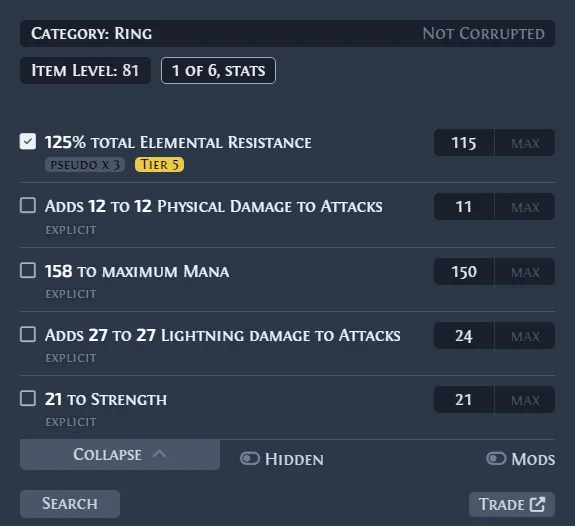
A trade search can be technically successful while returning zero listings because the query is too exact. Start with the item category, base, rarity or unique name and the active league. Add only the modifiers that affect the decision you are making, then submit the query before adding more conditions.
For rare items, copied modifiers often contain a value range that is narrower than the market. Widen one roll range or remove one secondary modifier and search again. For uniques, confirm the variant, corruption state, sockets and important rolls. For gems, check level, quality and special type. A broad comparison is more useful than a single perfect match that gives you no market context.
If a query worked yesterday but not today, compare the saved search with a fresh search. League changes, new item variants, stale saved filters and a changed base name can all make a previously useful query empty. Keep the original query as evidence, but rebuild the active search from the item you have now.
- 1
Reduce the query
Keep the league, item identity and one value-driving condition; remove cosmetic or uncertain filters.
- 2
Search before narrowing
Use the first result set to learn whether the market has supply before demanding an exact match.
- 3
Compare a cluster
Read several recent listings and reject a single stale, bait-priced or wrong-variant outlier.
Check why your character, items, or listings are missing
When the trade site loads but your own character or listings are absent, separate account visibility from search failure. Verify that you are signed into the expected account, that the character belongs to the selected Path of Exile 2 league, and that the listing method you used is supported by the current game and account setup.
A listing may not appear immediately after a change. Give the official service time to refresh, then search for the item from a second browser session without relying on a private saved filter. Check the exact stash tab, price currency, quantity, public state and league. If only one item is missing, compare its item type and tab settings with a listing that does appear.
Avoid publishing account cookies, session tokens, API keys or remote-access details to a person offering to repair the listing. A support report can describe the league, item type, timestamp and visible error without exposing private credentials. If the listing remains missing, use the official account or forum support path rather than an unverified trade mirror.
- Confirm the account and Path of Exile 2 league before searching for your own listing.
- Check the stash tab, public setting, price currency and quantity.
- Search from a clean browser session instead of trusting a stale saved query.
- Record the item name and timestamp, but never share cookies, tokens or remote access.
| Check | What it rules out |
|---|---|
| Account and league | Looking at another game context or character |
| Public tab and price | A listing that was never published or has an invalid state |
| Item type and variant | Searching for a different base, unique or corrupted version |
| Fresh browser search | A stale saved query or local cache |
Separate stale listings, slow pages, and failed actions
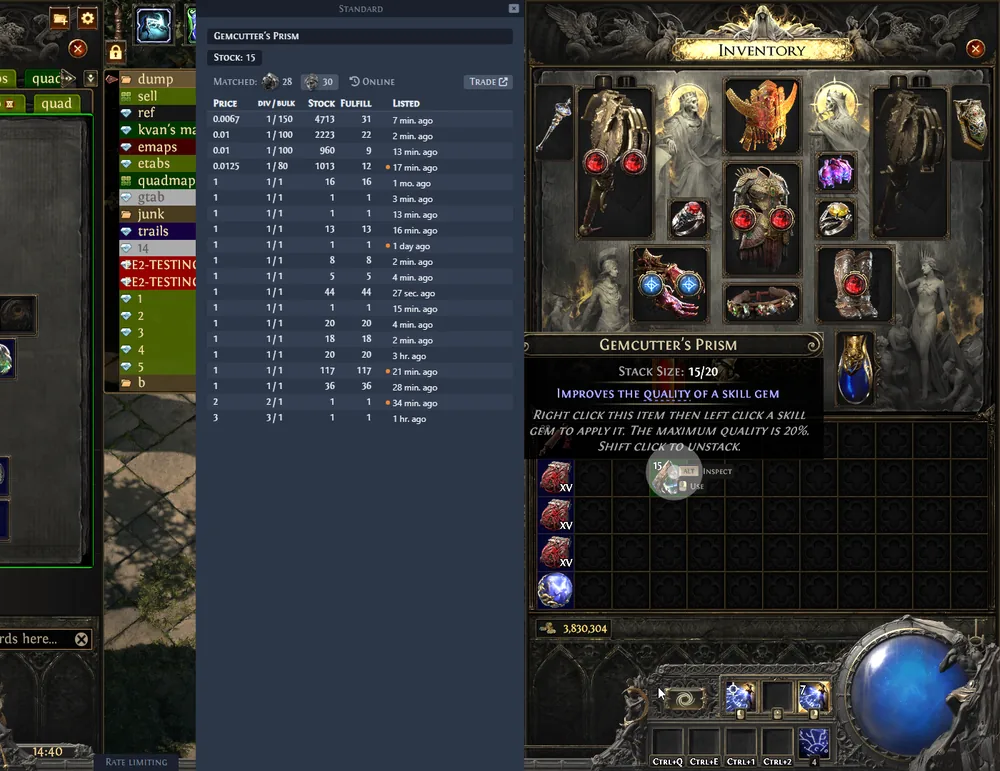
A page that opens is not necessarily returning fresh market data. Refresh the query after a short interval and compare listing age, seller status, quantity and league. Treat offers as asking-price evidence rather than completed-sale proof. One low row can be stale, unavailable, incorrectly configured or a different item variant.
If a button does nothing, first remove the variables around it. Test the same action with extensions disabled, confirm that the page is not in a blocked embedded frame, and check whether the browser console or visible error identifies a network request. Do not install an unknown helper merely because a pop-up claims that the browser needs a special trade plug-in.
When the service is slow after a patch or league event, reduce repeated refreshes. Save the exact search, note the time, and return later. Repeated requests can make diagnosis harder and cannot force a listing index or official endpoint to update faster.
- Compare several recent listings instead of trusting the first or cheapest row.
- Check the league, item variant, quantity and listing age before calling a price stale.
- Test one browser action with extensions disabled and keep the visible error text.
- Avoid unknown browser plug-ins, copied login pages and requests for private session data.
If Exiled Exchange 2 fails while the website works
If a manual search works but Ctrl + D, the in-game browser or a generated query fails, the official trade site is not the first layer to repair. The overlay depends on the game window, clipboard text, global hotkeys, item parsing and its request handoff. Test a manual search with the same item so you know whether the market query or the local capture workflow is responsible.
Use the Exiled Exchange 2 troubleshooting guide for clipboard, hotkey, league-loading and configuration checks. The quick-start guide explains the normal Ctrl + D and Shift + Space workflow, while the Windows 11 setup guide covers window mode, permissions and display-specific failures.
The verified official release checked on August 10, 2026 is v0.15.8, published June 20, 2026. That version data and the download files come from the official Kvan7 GitHub release. Version freshness does not prove that the trade service is available, and a trade-site problem does not prove that the installed overlay is outdated. Keep those diagnoses separate.
- 1
Repeat the search manually
Open the official site and rebuild a small query from the copied item text.
- 2
Check clipboard capture
Confirm that Path of Exile 2 can copy the item text and that another application receives the expected text.
- 3
Check hotkeys and window mode
Look for conflicts with capture software, GPU utilities, accessibility tools and non-compatible display modes.
- 4
Use the local troubleshooting path
Record the exact debug message before changing settings or reinstalling the application.
Use a safe fallback when the trade site is unavailable
A temporary trade-site failure does not require you to accept an unknown mirror or hand over account access. Keep the item text, league, intended filters and the time of the failed request. When the official service returns, rebuild the query and compare several current listings before changing a price or accepting a deal.
For supported stackable resources, the PoE 2 Currency Exchange guide explains how to read ratios, supply and order states. For one item under the cursor, the PoE 2 price checker guide explains how to compare listings without turning a single row into a guaranteed value. These are different market workflows, not replacements for the official trade service when detailed equipment filters are required.
Do not accept a trade from a link that changes the domain, asks for your password, requests a session token, or pushes a downloadable executable. The official domain and the in-game trade window remain the safest reference points while a page or listing is being investigated.
- Save the failed query details and retry through the official domain later.
- Use Currency Exchange for supported stackable resources, not an unknown replacement site.
- Use a manual item search when the overlay handoff fails.
- Verify the final item, price, quantity and league inside the game client.
Summary: fix the failing layer first
When the PoE 2 trade site is not working, test in this order: official page and league, broad manual search, account and listing visibility, browser action, then Exiled Exchange 2 clipboard or hotkey handling. This order avoids changing several systems at once and gives you evidence that can be repeated after a patch or service recovery.
A clean search, a current listing sample and a final in-game inspection are more reliable than a single price row or a third-party promise. Keep the official trade service as the market source, and use Exiled Exchange 2 as a focused research companion when its local workflow is healthy.