
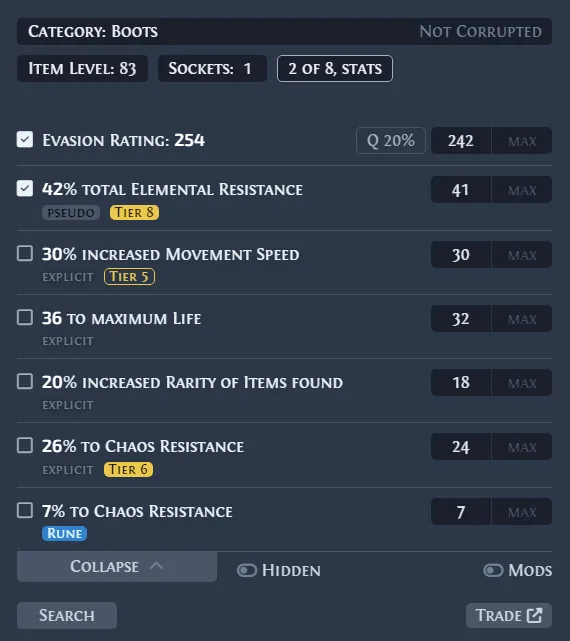
Verify the official Linux AppImage
The official Linux package is an AppImage. Verified on July 19, 2026, the latest release is v0.15.8, published June 20, 2026. The exact asset is Exiled-Exchange-2-0.15.8.AppImage, 130,379,819 bytes or 130.4 MB.
Use the official release or this site’s download section. Do not choose a Source code archive when you need the runnable overlay; this site links to the developer file and does not rehost it. GitHub v0.15.8 · Download.
| Check | Expected value | Why it matters |
|---|---|---|
| v0.15.8 | v0.15.8 | 2026-06-20 |
| AppImage | Exiled-Exchange-2-0.15.8.AppImage | Linux |
| Size | 130.4 MB | 130,379,819 bytes |
| Source | Official GitHub Release | Not rehosted |
Install and launch the AppImage
AppImages arrive as normal files and may not be executable. Grant permission once, keep the file in a stable user folder, and use a terminal for the first launch so startup errors remain visible.
- 1
Download
Save the official AppImage in ~/Downloads or a user Applications folder.
- 2
Permission
Run
chmod +x ~/Downloads/Exiled-Exchange-2-0.15.8.AppImageor enable executable permission in file properties. - 3
First launch
Launch the file path in a terminal and read any FUSE, sandbox, library, or display-session error.
- 4
Stable location
After a successful test, move it to
~/Applicationsand update any desktop launcher path.
Configure Path of Exile 2 and the overlay
Start Exiled Exchange 2 and use Path of Exile 2 in Windowed or Windowed Fullscreen mode. Hover an item and press Ctrl + D. The app parses item text copied to the clipboard; it does not scan game memory.
Press Shift + Space for settings. Check the game window title, league, language, shortcut bindings, and logs. If you migrated from Awakened PoE Trade, update the saved game window title. Migration guide.
Check Wayland, X11, clipboard, and hotkeys
Wayland applies tighter security boundaries than X11 for global shortcuts, windows, and clipboards, and behavior differs by compositor. A failure in one session does not prove the AppImage is corrupt.
Confirm that PoE 2 copies complete item text into the same desktop session. Check whether Ctrl + D is used by the desktop, a recorder, Discord, or a GPU tool. Try another key and compare with X11 when available. Troubleshooting.
- Test a normal inventory item before a special league interface.
- Run the game and overlay at the same privilege level.
- Do not disable desktop security globally for one shortcut.
- Use the troubleshooting guide for clipboard, league, display, and network checks.
Update the Linux AppImage
Official metadata marks the Linux AppImage as auto-update capable, but permissions and file location can affect replacement. Compare the displayed version with the official releases list. GitHub Releases.
If automatic update fails, download the new official AppImage, make it executable, close the old process, and start the replacement. Keep the previous official file until the new build opens with your settings.
| Situation | Recommended action | Avoid |
|---|---|---|
| Auto update | Restart and confirm v0.15.8. | Two running versions |
| Updater fails | Download the new official AppImage. | Third-party repacks |
| New build fails | Launch from terminal and read the first error. | Deleting settings before logs |
| Rollback | Keep the previous official AppImage briefly. | Mixing running versions |
Diagnose launch or price-check failures
Separate package launch, game-window access, clipboard text, global shortcut, league request, and overlay rendering. Random reinstalls can erase useful evidence.
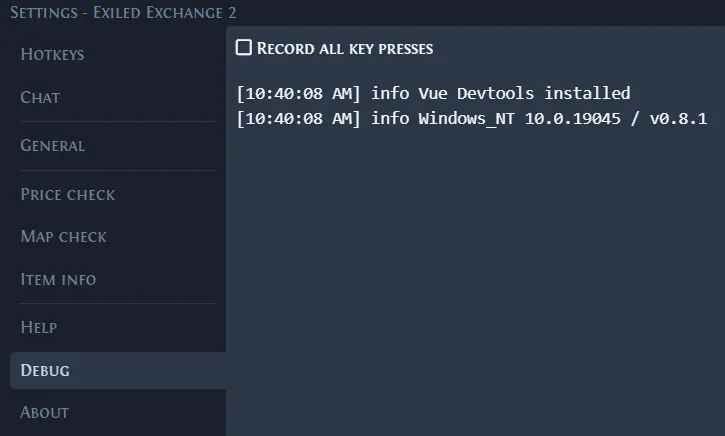
Open Debug, reproduce the issue once, and record version, distribution, desktop, Wayland/X11, display mode, and shortcut. Remove personal data before sharing logs.
- Permission denied: check executable permission and noexec mounts.
- No window after double-click: launch from a terminal.
- Overlay opens but Ctrl + D fails: test clipboard and shortcut conflicts.
- No listings: widen filters and confirm the active league.
- Blank overlay: compare scaling, monitors, Wayland, and X11.
Use safe sources and normal-user permissions
ExiledExchange2.wiki is independent. Use the official documentation and issue tracker for developer requirements and reproducible bugs. Official documentation · Official issues.
Do not run the overlay as root or install an unofficial repack. Verify the release page, tag, filename, size, and published checksum. This guide does not claim an independent malware scan.
Official Linux AppImage
Download Linux AppImage
v0.15.8 · 130.4 MB · official GitHub Release
Download Linux AppImageExiled Exchange 2 Linux FAQ
Does Exiled Exchange 2 work on Linux?
How do I make the AppImage executable?
chmod +x with the file path or enable executable permission in file properties.Why does Permission denied appear?
noexec.