

What the PoE 2 economy actually includes
PoE2 economy describes several connected markets: stackable currency, equipment, unique items, gems, bulk stock, exchange ratios and the flow of buyers and sellers. Each market answers a different question. A currency ratio can help you decide whether to exchange one stack for another, while an equipment listing helps you research a particular item with specific modifiers.
A useful starting point is a live economy source such as poe.ninja's PoE 2 economy view. Treat it as a current observation rather than a permanent price database. League, patch, supply, demand and data refresh timing can all move the number you see.
Read live economy data without trusting one number
Economy pages are most useful when you compare the shape of the market rather than copying the first value. Look at the typical range, the number of visible listings, the direction of recent movement and whether the item has enough supply to support the quoted rate. A single low listing may be underpriced, stale, incorrectly configured or too small to fill a larger order.
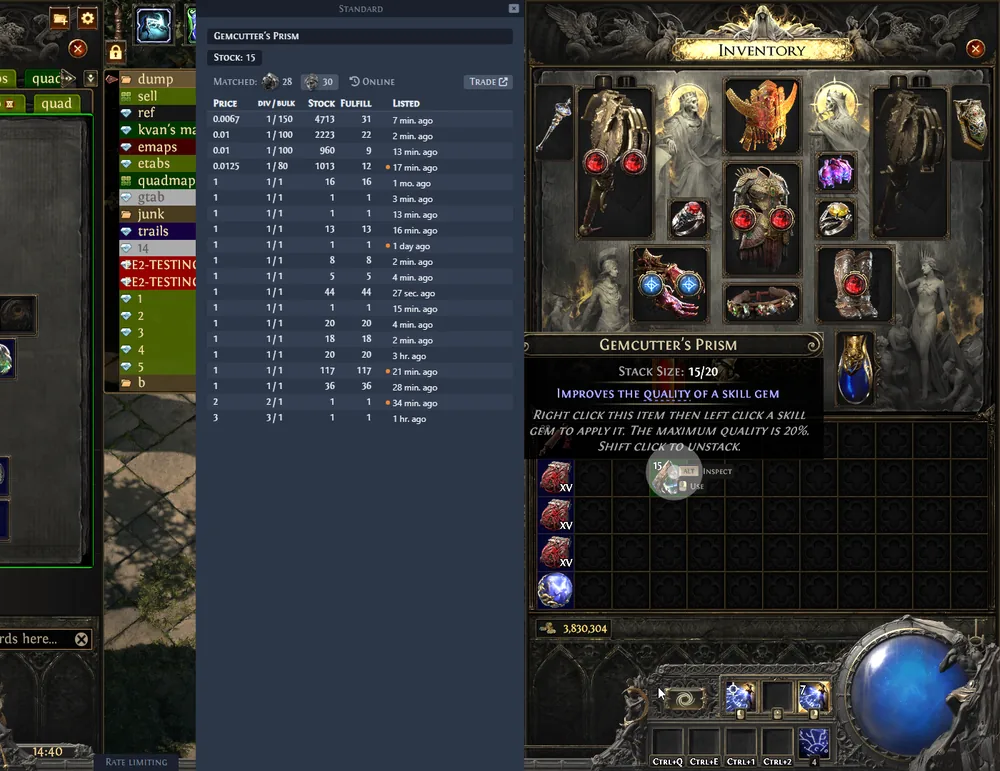
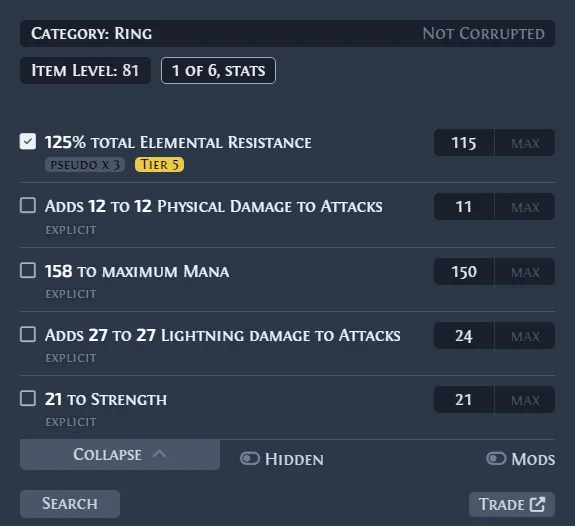
For an item you already own, use a dedicated price-check workflow to inspect comparable listings and meaningful modifiers. The official Exiled Exchange 2 project screenshots below show the kind of focused item research the overlay can support; it is a single-item research companion, not a complete economy tracker or an automatic appraisal.
Currency, equipment and bulk data are different
Before comparing numbers, identify the market you are looking at. Currency exchange is ratio-driven, rare equipment is modifier-driven, and bulk trading is depth- and convenience-driven. Mixing these signals is a common reason a player expects a listing to sell immediately when it only describes a theoretical asking price.
| Market signal | What it can answer | What it cannot prove |
|---|---|---|
| Currency ratio | Whether one supported currency pair looks favorable right now | That every quantity will fill at the same ratio |
| Equipment listings | What comparable items are asking for | That a rare item has a guaranteed sale price |
| Bulk supply | Whether a larger stock or batch may be convenient to buy | That a third-party bulk channel is official or risk-free |
| Economy tracker | How categories move relative to one another | That its snapshot is current for every league or patch |
A practical PoE 2 economy workflow
Use the same short checklist whether you are pricing an item, converting currency or deciding whether to hold stock. The goal is not to predict the market perfectly; it is to avoid making a decision from an incomplete or mismatched sample.
When a result looks unusually high or low, slow down and check the item variant, league, quantity, modifiers and timestamp before changing your price. A minute of verification is usually cheaper than repricing an entire stash around an outlier.
- 1
Identify the market
Decide whether you are checking currency, equipment, a unique, a gem or a bulk batch. Use the matching data source.
- 2
Confirm league and patch
Make sure the listings, ratios and notes belong to the current league and a compatible game version.
- 3
Sample several results
Compare a range and the depth behind it. Do not let one tiny or obviously stale listing set the whole value.
- 4
Choose the trade channel
Use Currency Exchange for supported stackable items, the official trade site for equipment, and a bulk workflow for larger stock.
- 5
Recheck before committing
Refresh the result before a large order or an important sale, especially after a patch, league launch or economy event.
Choose the right PoE 2 trading tool
The best tool depends on the job, not on which page shows the biggest number. Use the PoE 2 Currency Exchange guide for supported stackable-item orders, the PoE 2 price checker guide for one item, and the official trade site guide for equipment searches and detailed filters.
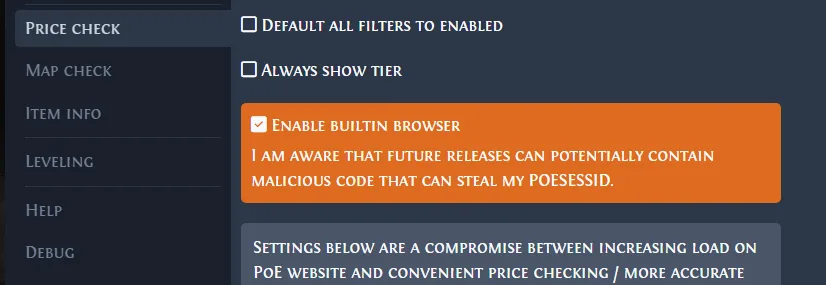
For larger inventories, continue to the PoE 2 bulk trade guide. If you want item research while the game is open, the PoE 2 trade overlay guide explains the overlay workflow. Exiled Exchange 2 can prepare and display a query, but it does not place orders, move currency or guarantee a sale.
- Currency Exchange: supported stackable currency and commodities, ratio and order decisions.
- Official trade site: rare items, uniques, modifiers, detailed manual search and equipment comparisons.
- Exiled Exchange 2: focused in-game research for a copied item and its comparable listings.
- Bulk trade workflow: larger inventories, quantity, convenience and channel selection.
Avoid stale prices and outliers
A listing is an asking price, not proof of a completed trade. If the market has thin supply, an unusual modifier combination or a rapidly changing ratio, the visible range can be misleading. Compare multiple nearby results, check whether the quantity is realistic and look for repeated evidence before you treat a value as actionable.
Stale data is especially common after a balance change, patch, league launch, API interruption or a sudden change in farming demand. If a source has not refreshed, use its trend as context and verify the actual item or exchange pair through the current trade channel. Do not carry a previous league's fixed price into a new environment without checking it again.
- Ignore one isolated listing until another source or nearby sample supports it.
- Separate asking price, completed trade and a convenient bulk price.
- Recheck league, item variant, quantity, modifier rolls and update time.
- Treat third-party trackers as useful observations, not official promises.
Patch notes, economy resets and changing data
PoE 2 economy pages can change quickly when a patch changes item supply, adds a mechanic, adjusts drop rates or changes a trade service. Read the game's current announcements and official trade information when a number suddenly moves; do not assume the previous league's workflow or an old screenshot still describes today's access or ratio.
The terms `economy reset` and `economy plan` are useful questions to ask, but they are not a reason to publish a permanent price table. Keep the page's method stable and verify live values from current sources such as the official PoE 2 trade site, current official announcements and a live economy tracker.
Summary: use economy data as context, not a promise
A strong PoE 2 economy decision combines category, league, patch, sample size, market depth and the purpose of the trade. Start with a live overview, drill into comparable listings, choose the correct channel and refresh before a large commitment.
For a single item, continue to the price checker or trade overlay guides. For supported currency pairs, use the Currency Exchange workflow. For equipment, use the official trade site; for large inventories, use a bulk-trade process. This separation keeps the economy guide useful without pretending that one tool or one number can price everything.