
What a PoE 2 item filter actually changes
A loot filter is a visibility rule set. It can make important drops larger or more colorful, play a sound, add an effect, or hide items that are unlikely to matter for your current character. It does not change drop rates, reroll item properties, improve a price, or guarantee that a highlighted item is worth keeping. The filter only changes how the game presents information after an item drops.
That distinction matters when a player asks whether a PoE 2 item filter is safe. A well-maintained filter is a convenience layer, but it can still be too strict, out of date, or configured for another stage of progression. Keep an unfiltered view available and treat the filter as a starting signal. For official discovery and current public-filter links, use the official Path of Exile website and the Path of Exile 2 site rather than an unknown download mirror.
- Highlights can improve recognition of currency, bases, gems, and other useful drops.
- Sound and color are signals, not a valuation or a promise that an item fits your build.
- Hidden items may still be valid items; reveal labels before changing a filter or leaving content.
- A filter should be maintained for the current game rules and your current progression stage.
| Filter feature | What it helps with | What it cannot tell you |
|---|---|---|
| Color or size | Spot a category quickly in a crowded drop pile | Whether the item is valuable for your build |
| Sound | Notice a drop while fighting or moving | Whether the drop is safe to ignore |
| Hide rule | Reduce visual noise from low-priority items | Whether the hidden item could matter after a patch |
| Custom rule | Emphasize a base, socket, or build need | A correct market price or completed trade |
How to find and install a PoE 2 loot filter
For most players, the safest first step is a public filter maintained for PoE 2 and clearly labeled for the game version or current content. The official sites are useful for discovering filter resources; a community guide or a filter editor such as FilterBlade can provide more customization. Do not download an executable just to install a text-based filter, and do not give a filter website your game credentials.
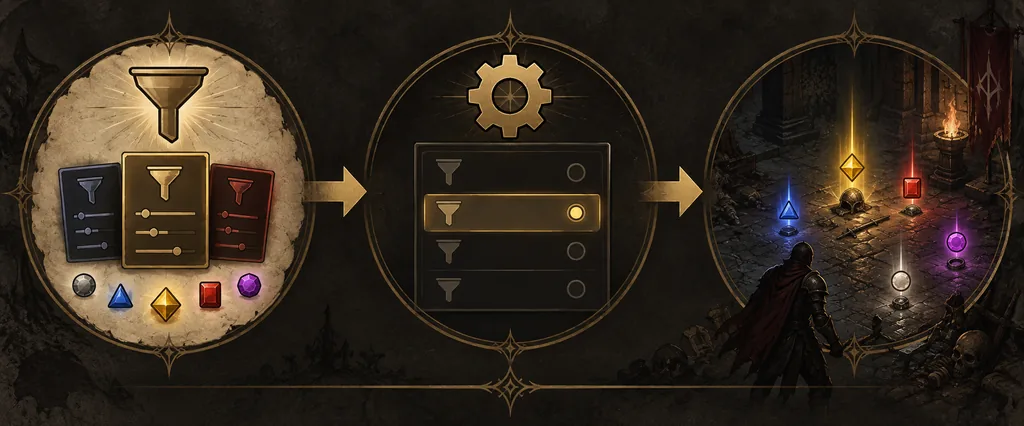
There are two common paths: an account-followed filter that appears in the game after you subscribe or follow it, and a local filter file that you place in the game's expected filter directory. The labels and exact menu position can move between releases, so read the current help text in your client. A guide is useful for the decision; the live client is the authority for the last click.
- 1
Choose the filter source
Pick a maintained PoE 2 filter with a clear change log or version note. Prefer official or well-known community pages over re-uploaded files.
- 2
Follow or download it
Use the source's follow/subscription flow when available. If it provides a local file, download only the filter file and keep the original filename until the game recognizes it.
- 3
Open the current filter setting
In PoE 2, open the game options and locate the item-filter selector. The usual path is under the game or gameplay settings, but labels can change.
- 4
Select and test it
Choose the filter, enter an area with a few drops, and reveal labels to confirm that the filter is active before tightening any rule.
Choose filter strictness for leveling and endgame
Strictness is a progression choice, not a badge of skill. During the campaign, a generous filter can show useful bases, socket opportunities, resistance upgrades, and crafting materials that a late-game preset would hide. When your character becomes stronger and content produces many low-value drops, a stricter setting saves attention and reduces label clutter.
Change one level at a time and play a short test area. If you cannot see a normal currency drop, a build-relevant base, or a crafting material you still use, the filter is too strict for the current goal. If your screen is still full of common equipment that you never inspect, tighten the preset or customize only that category. Keep a record of the last working preset so a bad update can be reversed quickly.
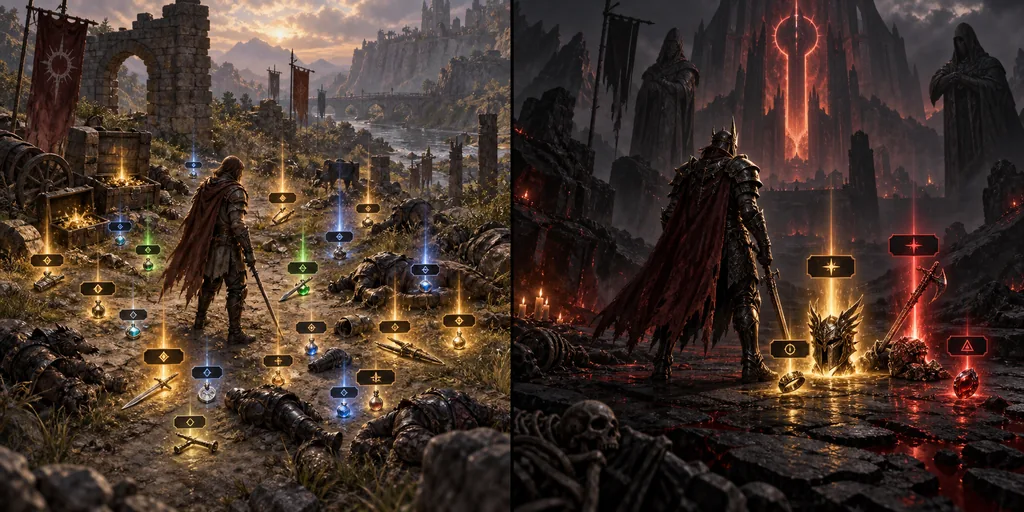
- Campaign or early leveling: show more bases, links or socket opportunities, gems, currency, and crafting materials.
- Early mapping: hide obvious low-level equipment but keep build upgrades, useful bases, currency, and league-relevant items visible.
- Established endgame: use a stricter preset only after checking that it still shows the items, bases, and currencies your build can use.
- Build transition: temporarily loosen the filter when you need new weapon types, resistances, sockets, or an unfamiliar crafting base.
| Situation | Start with | Audit before hiding more |
|---|---|---|
| New character | Generous or semi-strict | Bases, gems, currency, sockets, resistance upgrades |
| First maps | Semi-strict | Map progression, build bases, useful crafting inputs |
| Fast endgame farming | Strict | High-value currency, valuable bases, league-specific drops |
| New build or patch | Looser preset | New item categories and changed drop priorities |
PoE 2 item filter not showing: practical fixes
When a PoE 2 item filter is missing, start with the smallest explanation. A wrong game mode, an incomplete follow action, a stale settings list, a file saved in the wrong folder, or a filename that the client cannot parse is more likely than a need to reinstall Windows. Test the filter in the client first, then inspect the source path.
If every filter disappears after an update, compare the current client behavior with the filter maintainer's notes and the official game's current documentation. If only one custom filter fails, restore the last known-good file and compare the changed rule blocks. Keep a backup outside the game folder so a reinstall or profile reset does not erase the working copy.
- The filter is listed but no labels change: select it again, reload the settings, and test with a known visible drop.
- The filter is not listed: check follow status, account context, file location, filename, and the current client requirements.
- Too many labels remain: use a stricter preset or remove one low-value category at a time.
- Important drops disappear: reveal all labels, loosen the relevant category, and stop using the filter until the rule is understood.
- The game or overlay behaves strangely: separate filter testing from price-check testing so one problem does not hide the other.