
What a PoE 2 trade macro does
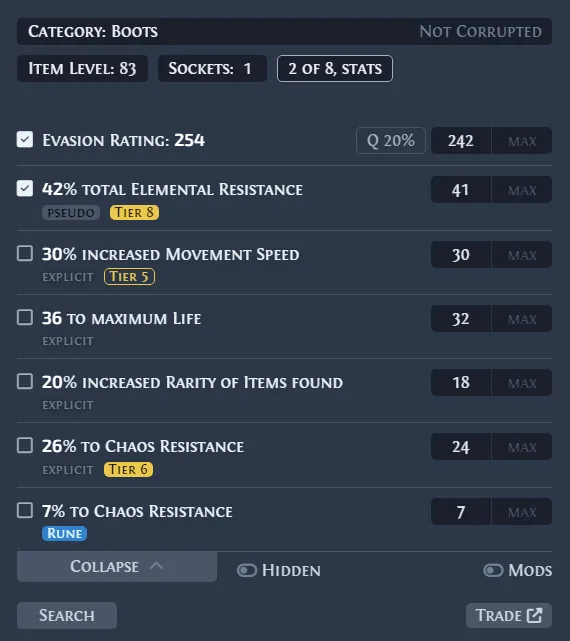
A trade macro is a desktop shortcut layer. Exiled Exchange 2 asks Path of Exile 2 to copy the hovered item text, parses the item, and prepares a trade query. It does not discover a hidden market price and it does not prove that a listing sold. The useful output is a faster comparison screen that you can edit before searching.
The phrase trade macro is often used loosely. A price-check shortcut, an overlay, an auto-clicker, and a gameplay bot are not the same thing. For a conservative setup, keep the tool focused on reading copied item text, opening a search, and displaying information after a deliberate key press.
Macro, overlay, or official trade site?
Choose the workflow by task. The macro is fastest for one item under the cursor. The overlay adds filters and widgets without leaving the game. The official trade site is better for complex combinations, broad market research, and checking whether a suspiciously cheap listing is an outlier.
Exiled Exchange 2 combines the first two workflows, but the official trade service remains the market source. Treat the overlay as a query assistant, not an appraisal engine. Rare items, unusual jewels, high-roll uniques, and items with open affixes still require manual judgment.
Set up safe price-check hotkeys
Install the verified official v0.15.8 release, use Windowed Fullscreen or Windowed mode, and test the shortcuts in a quiet area. Hover an item and press Ctrl + D once. Confirm the item name, base, rarity, item level, quality, sockets, and selected modifiers before running the search.
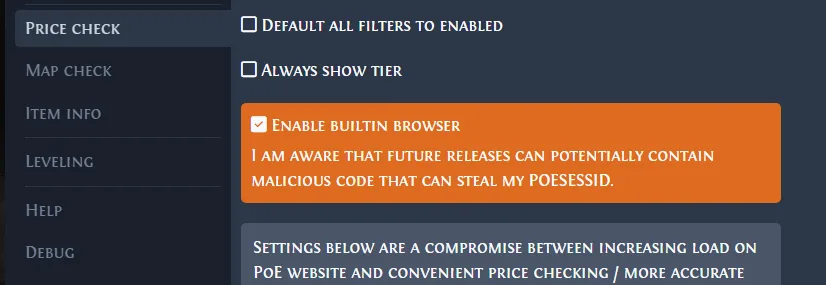
Open settings with Shift + Space and change any shortcut that conflicts with a skill, chat command, accessibility utility, keyboard manager, or another overlay. A reliable keybind should fire once, be easy to remember, and never trigger a chain of gameplay actions.
The one-action safety boundary
A practical safety boundary is one physical input for one immediate tool action. Opening a price-check window, copying item text, or showing an overlay is fundamentally different from repeating clicks, moving the character, using skills, sending timed inputs, or running unattended. Rules and enforcement can change, so verify current Grinding Gear Games guidance before relying on any automation claim. Grinding Gear Games Terms of Use.
Do not trust a third-party label such as safe, undetectable, or approved. Review what the shortcut actually does. If it continues after you release the key, repeats actions, reacts to game state, or performs several gameplay inputs, disable it and use a simpler configuration.
Read price-check results without overpricing
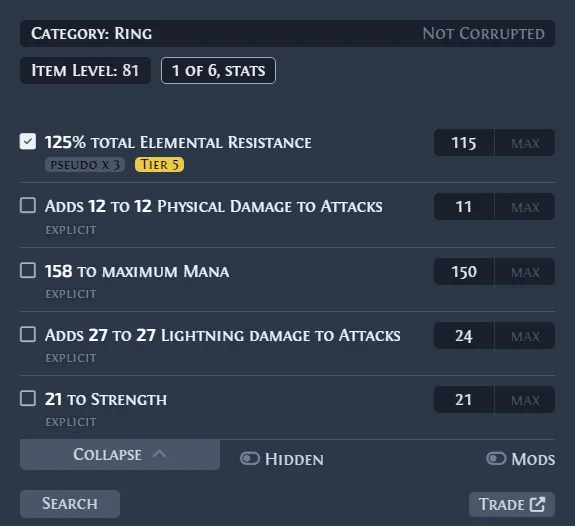
Start with identity filters, then add only the modifiers that drive value. Exact rolls can make a search too narrow, while selecting every modifier can compare the item against almost nothing. Look for a stable cluster of realistic listings instead of copying the cheapest result.
For rare items, compare useful affix combinations, item level, open prefixes or suffixes, sockets, quality, and build demand. For currency or bulk stock, use the Currency Exchange or official bulk market rather than a single-item macro. Save manual searches for expensive items where a mistaken filter could cost more than the time saved.
Troubleshoot macro and hotkey failures
If nothing opens, check the game display mode, clipboard access, shortcut conflicts, current league selection, and whether the trade service is available. Run one overlay at a time. Remote desktops and cloud gaming can break clipboard forwarding, while security software can block global shortcuts.
If the window opens with the wrong item, copy the item text manually and inspect what PoE 2 placed on the clipboard. Update Exiled Exchange 2, reset only the affected shortcut, and review debug logs before reinstalling. Use the site's troubleshooting guide for league-loading, display, clipboard, and update errors.
A repeatable checklist before every price check
Before pressing the shortcut, confirm that the correct league is selected, the item is in a normal inventory position, and no chat box or text field has focus. After the window opens, compare the copied item name with the item under the cursor. Check whether the search selected the correct unique variant, corrupted state, quality type, item level and socket configuration. For rares, clear low-value modifiers before adding the affixes that actually define the build use case.
Then review the result set rather than only the first row. Ignore offers that are dramatically below the next realistic cluster, listings that have remained unchanged for too long, and variants with different implicit or explicit modifiers. If the item is valuable, open the same query on the official trade site and adjust one filter at a time. This slower confirmation is still faster than recovering from a bad sale, and it makes the macro a reliable research shortcut instead of an automatic pricing decision.